Yep, we may get a tiny thank-you (read: commission) when you buy through
links on Gadgetspotr — not enough for a yacht, but enough to keep the lights (and
servers) on.
Learn more
Ooops...!
You've got an alert.
6
Alternatives
0
Likes
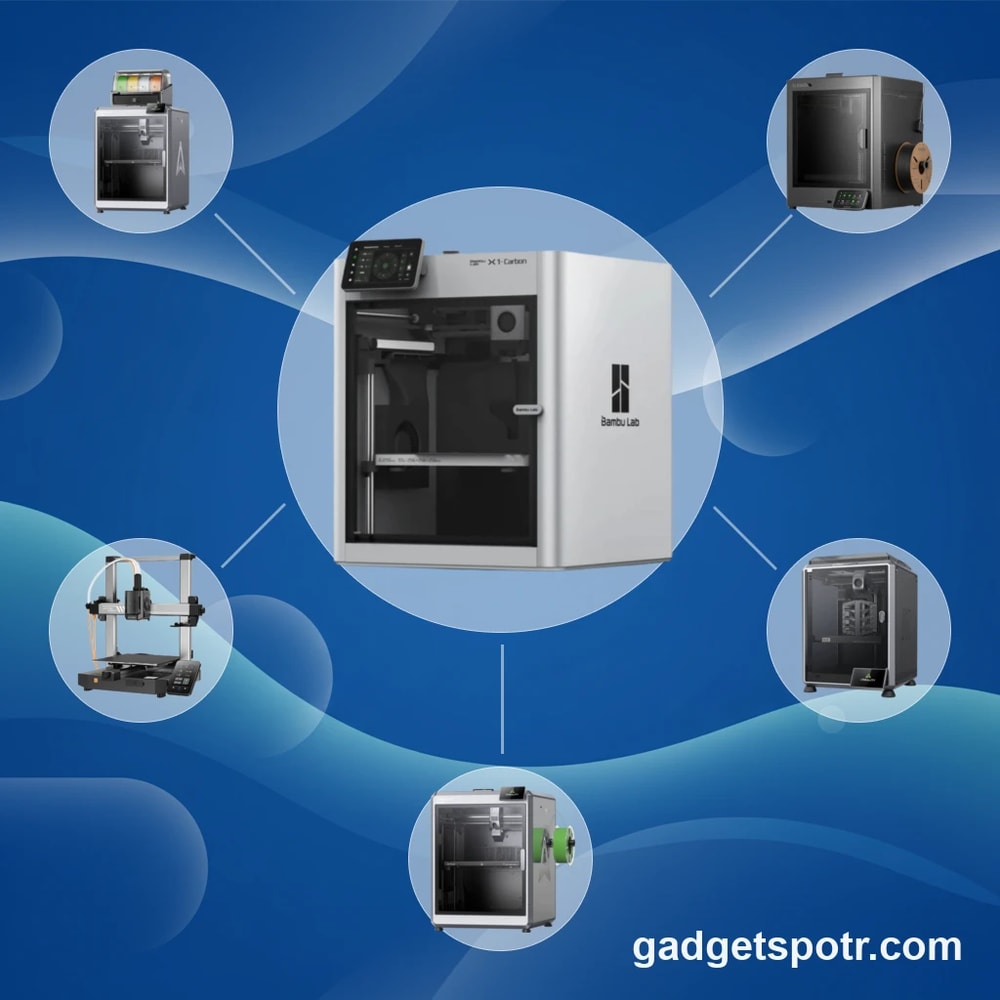
The 6 Alternatives to Bambu Lab X1C
:
Best 3D Printer on Your List — 2026
Compare leading 3D Printer alternatives using build volume, speed, temperature limits, and multi-material capabilities.
Explore Your Options
Alternative products worth considering.
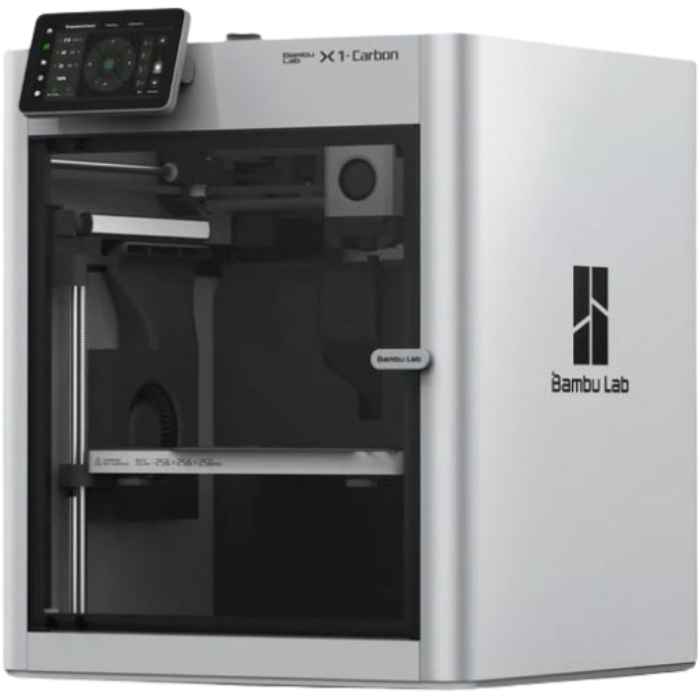
The Bambu Lab X1C set a new benchmark for consumer 3D printing by combining high-speed CoreXY motion, automated calibration, and multi-material capabilities into an appliance-like experience. With a 256 × 256 × 256 mm build volume, up to 300 mm/s print speeds, and advanced features like lidar-assisted first-layer calibration, it appeals to users who want reliable, high-performance results with minimal manual tuning. But as the ecosystem evolves, many users are now exploring alternatives that offer similar performance with different trade-offs in openness, cost, or expandability.
Interest in the best alternative to Bambu Lab X1C often comes down to specific needs rather than outright shortcomings. Some users prioritize open-source firmware and modular upgrades, while others focus on price flexibility, such as kit-based systems starting around $949 versus fully assembled units above $1,200. Multi-material workflows also vary, with systems supporting 4 to 16 filament inputs or more material-efficient designs that reduce purge waste. These differences can directly impact long-term material costs, maintenance effort, and workflow efficiency.
When comparing options, measurable factors like build volume ranges, nozzle temperatures up to 290–300 °C, and chamber temperature management become critical for handling advanced filaments and maintaining print consistency. Speed metrics, including travel speeds up to 500 mm/s and acceleration limits near 10,000 mm/s², also shape real-world productivity, though default profiles and material settings can significantly affect actual results. Understanding how these specifications translate into everyday printing performance helps clarify which alternatives align best with different user priorities.
This guide approaches the best alternative to Bambu Lab X1C as a structured comparison, not a replacement narrative. By examining verified specifications, workflow features, and usability trade-offs across leading 3D printer options, readers can evaluate which systems match their expectations for speed, precision, customization, and long-term value.
Alternative Options
Other products worth your attention.
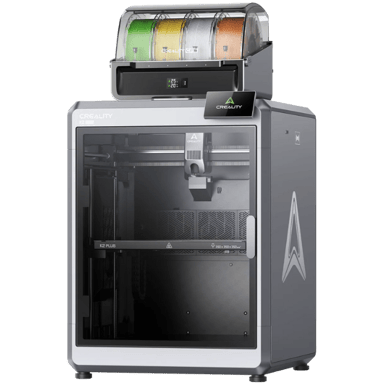
The Creality K2 Plus Combo is a relevant alternative to the Bambu Lab X1C, sharing key functional attributes as a closed, CoreXY FDM 3D printer targeted at intermediate to professional users. Both printers cater to similar applications such as prototyping and engineering, making the Creality K2 Plus Combo a practical option for users considering a replacement or comparable machine.
Both printers are prebuilt FDM/FFF machines designed for consumer and professional use.
They share a CoreXY frame type with closed, enclosed printing chambers that help with print quality and material compatibility.
Each supports a wide range of filaments suitable for engineering and prototyping applications, with both printers offering direct drive extruders and multi-material upgrade options.
Connectivity includes Wi-Fi and cloud options, supporting modern workflows and remote management capabilities.
Nerdy Bits & Must-Knows
Specs worth knowing…
Creality K2 Plus Combo
Printer Type
What type of printer is it?
0
Creality K2 Plus Combo
0
Votes
FDM/FFF
3D Printer in this range
Who knows?
(Help us out by suggesting one!)
Defines the printing technology used by the machine.
Don’t keep it to yourself — be the first to react and review the
Printer Type on Creality K2 Plus Combo
◉ and help others decide!
Creality K2 Plus Combo
Frame Type
What is the frame type?
0
Creality K2 Plus Combo
0
Votes
CoreXY
3D Printer in this range
Who knows?
(Help us out by suggesting one!)
Mechanical structure style of the printer.
Don’t keep it to yourself — be the first to react and review the
Frame Type on Creality K2 Plus Combo
◉ and help others decide!
Creality K2 Plus Combo
Intended Use
What is the intended use?
0
Creality K2 Plus Combo
0
Votes
Consumer, Professional, Educational
3D Printer in this range
Who knows?
(Help us out by suggesting one!)
Identifies the main user category.
Don’t keep it to yourself — be the first to react and review the
Intended Use on Creality K2 Plus Combo
◉ and help others decide!
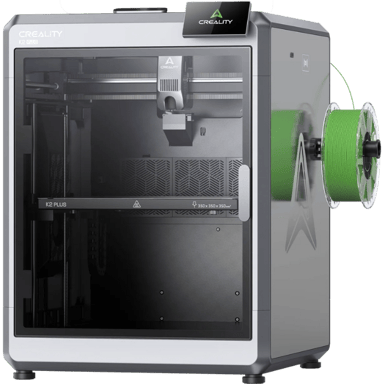
The Creality K2 Plus is a relevant alternative to the Bambu Lab X1C for users seeking a high-quality FDM/FFF 3D printer geared toward consumer and professional use. Both printers support advanced prototyping and engineering applications with similar operational environments and core features.
Both printers are prebuilt and target professional to advanced users, making setup and use comparable.
They share the same printer type (FDM/FFF) and similar application support, including prototyping and engineering.
Both have a CoreXY frame design and closed enclosure, enhancing print stability and environmental control.
Connectivity options include Wi-Fi and USB, enabling versatile file transfer and remote operations.
While there are differences in filament compatibility and multi-material capabilities, the Creality K2 Plus generally offers a strong practical replacement for the Bambu Lab X1C.
Nerdy Bits & Must-Knows
Specs worth knowing…
Creality K2 Plus
Printer Type
What type of printer is it?
0
Creality K2 Plus
0
Votes
FDM/FFF
3D Printer in this range
Who knows?
(Help us out by suggesting one!)
Creality K2 Plus
The printer utilizes FDM/FFF (Fused Deposition Modeling/Fused Filament Fabrication) technology, which is the most common 3D printing method, known for its versatility, ease of use, and wide range of compatible materials.
Defines the printing technology used by the machine.
Don’t keep it to yourself — be the first to react and review the
Printer Type on Creality K2 Plus
◉ and help others decide!
Creality K2 Plus
Assembly Type
What is the assembly type?
0
Creality K2 Plus
0
Votes
Prebuilt
3D Printer in this range
Who knows?
(Help us out by suggesting one!)
Creality K2 Plus
The printer is Prebuilt, meaning it comes fully assembled and ready to use out of the box, reducing setup time and effort for users.
Shows whether the printer is sold as a kit requiring assembly or fully prebuilt.
Don’t keep it to yourself — be the first to react and review the
Assembly Type on Creality K2 Plus
◉ and help others decide!
Creality K2 Plus
Frame Type
What is the frame type?
0
Creality K2 Plus
0
Votes
CoreXY
3D Printer in this range
Who knows?
(Help us out by suggesting one!)
Mechanical structure style of the printer.
Don’t keep it to yourself — be the first to react and review the
Frame Type on Creality K2 Plus
◉ and help others decide!
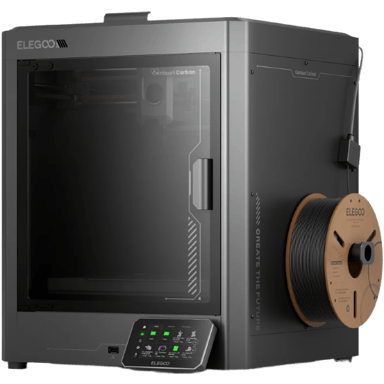
The ELEGOO Centauri Carbon is a relevant alternative to the Bambu Lab X1C for users seeking a professional FDM 3D printer, offering similar core functionalities suitable for prototyping and professional applications.
Both printers utilize FDM/FFF technology aimed at consumer and professional users.
They support a comparable range of filament types including PLA, ABS, PETG, TPU, Nylon, and Carbon Fiber.
Both are prebuilt and feature direct drive extruder systems.
Each adopts a CoreXY frame motion system, facilitating precise and stable printing.
While the ELEGOO Centauri Carbon lacks some advanced features such as an enclosed build chamber and multi-material upgrade options, it remains a strong functional replacement for standard single-extruder professional 3D printing needs.
Nerdy Bits & Must-Knows
Specs worth knowing…
ELEGOO Centauri Carbon
Printer Type
What type of printer is it?
0
ELEGOO Centauri Carbon
0
Votes
FDM/FFF
3D Printer in this range
Who knows?
(Help us out by suggesting one!)
ELEGOO Centauri Carbon
This is an FDM/FFF (Fused Deposition Modeling/Fused Filament Fabrication) 3D printer, a common technology that builds objects layer by layer by extruding melted thermoplastic filament.
Defines the printing technology used by the machine.
Don’t keep it to yourself — be the first to react and review the
Printer Type on ELEGOO Centauri Carbon
◉ and help others decide!
ELEGOO Centauri Carbon
Intended Use
What is the intended use?
0
ELEGOO Centauri Carbon
0
Votes
Consumer, Professional
3D Printer in this range
Who knows?
(Help us out by suggesting one!)
Identifies the main user category.
Don’t keep it to yourself — be the first to react and review the
Intended Use on ELEGOO Centauri Carbon
◉ and help others decide!
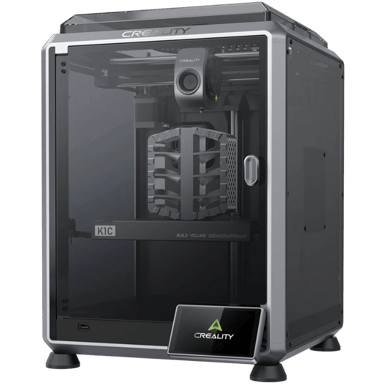
The Creality K1C is a relevant alternative to the Bambu Lab X1C as both are prebuilt FDM/FFF 3D printers designed for professional and consumer use with similar core functionalities and target user levels. They cater to prototyping and engineering applications and offer comparable build system architectures and features.
Both printers are prebuilt and intended for a broad range of users including beginners to professionals.
They share the same printer type (FDM/FFF) suitable for prototyping and engineering.
Both use CoreXY frame types with closed enclosures and carbon air filtration systems, ensuring comparable mechanical design and print environment control.
They support similar filament types including PLA, ABS, PETG, Nylon, TPU, and Carbon Fiber with direct drive extruders.
Both offer auto first layer calibration and PEI flexible textured build plates for print adhesion.
Their connectivity options include Wi-Fi, enabling remote operation or cloud integration.
While the Creality K1C lacks resin printing capabilities and has a slightly different filament support range, it sufficiently matches the Bambu Lab X1C in core FDM printing performance and usage, making it a strong alternative.
Nerdy Bits & Must-Knows
Specs worth knowing…
Creality K1C
Printer Type
What type of printer is it?
0
Creality K1C
0
Votes
FDM/FFF
3D Printer in this range
Who knows?
(Help us out by suggesting one!)
Defines the printing technology used by the machine.
Don’t keep it to yourself — be the first to react and review the
Printer Type on Creality K1C
◉ and help others decide!
Creality K1C
Assembly Type
What is the assembly type?
0
Creality K1C
0
Votes
Prebuilt
3D Printer in this range
Who knows?
(Help us out by suggesting one!)
Shows whether the printer is sold as a kit requiring assembly or fully prebuilt.
Don’t keep it to yourself — be the first to react and review the
Assembly Type on Creality K1C
◉ and help others decide!
Creality K1C
Frame Type
What is the frame type?
0
Creality K1C
0
Votes
CoreXY
3D Printer in this range
Who knows?
(Help us out by suggesting one!)
Mechanical structure style of the printer.
Don’t keep it to yourself — be the first to react and review the
Frame Type on Creality K1C
◉ and help others decide!
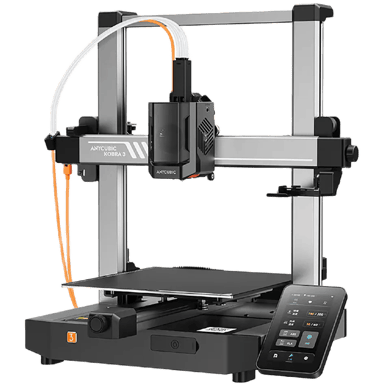
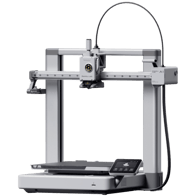
The ANYCUBIC Kobra 3 is a relevant alternative to the Bambu Lab X1C for users seeking a reliable FDM/FFF 3D printer suitable for both consumer and professional use. While there are some differences in advanced features and enclosure design, the Kobra 3 matches many core aspects that define functional equivalence.
Both printers use FDM/FFF technology designed for prototyping and engineering applications.
Each model targets intermediate to advanced user levels and comes prebuilt for ease of setup.
They include auto first layer calibration and support PEI build plates for good adhesion.
Both utilize a direct drive extruder system and accept similar nozzle size options, ensuring comparable printing capabilities.
Overall, the ANYCUBIC Kobra 3 can effectively serve as a substitute for the Bambu Lab X1C depending on the user's requirements, especially if enclosure and advanced multi-material features are not the highest priority.
Nerdy Bits & Must-Knows
Specs worth knowing…
ANYCUBIC Kobra 3
Printer Type
What type of printer is it?
0
ANYCUBIC Kobra 3
0
Votes
FDM/FFF
3D Printer in this range
Who knows?
(Help us out by suggesting one!)
Defines the printing technology used by the machine.
Don’t keep it to yourself — be the first to react and review the
Printer Type on ANYCUBIC Kobra 3
◉ and help others decide!
ANYCUBIC Kobra 3
Intended Use
What is the intended use?
0
ANYCUBIC Kobra 3
0
Votes
Consumer, Professional
3D Printer in this range
Who knows?
(Help us out by suggesting one!)
ANYCUBIC Kobra 3
The printer is designed for both Consumer and Professional use, offering features suitable for a wide range of users.
Identifies the main user category.
Don’t keep it to yourself — be the first to react and review the
Intended Use on ANYCUBIC Kobra 3
◉ and help others decide!
ANYCUBIC Kobra 3
Target User Level
What is the target user level?
0
ANYCUBIC Kobra 3
0
Votes
Intermediate, Advanced
3D Printer in this range
Who knows?
(Help us out by suggesting one!)
Indicates the recommended skill level.
Don’t keep it to yourself — be the first to react and review the
Target User Level on ANYCUBIC Kobra 3
◉ and help others decide!
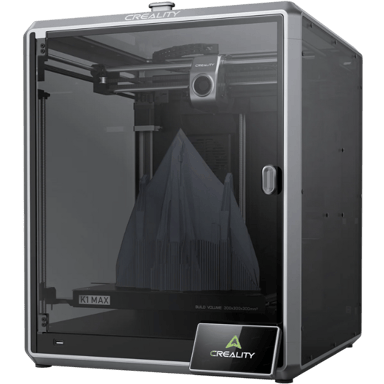
The Creality K1 Max is a relevant alternative to the Bambu Lab X1 Carbon for users seeking a prebuilt FDM/FFF 3D printer designed for both consumer and professional use, particularly in prototyping and engineering applications.
Both printers utilize the CoreXY motion system and feature a closed enclosure with carbon air filtration, supporting similar print environments and operational stability.
Each printer is aimed at intermediate to professional users, offering prebuilt assembly and automation features like auto first layer calibration and direct drive extruders.
Both support a broad range of filaments commonly used in engineering contexts, including PLA, ABS, PETG, TPU, and Nylon, although the Creality K1 Max also supports PC and ASA, while the Bambu Lab supports carbon fiber filament.
Connectivity is strong on both models, with Wi-Fi support and multiple file transfer methods; the Creality adds LAN and USB connectivity as well.
Overall, while the Creality K1 Max differs slightly in filament compatibility and optional upgrades, it can practically replace the Bambu Lab X1 Carbon for most core 3D printing needs.
Nerdy Bits & Must-Knows
Specs worth knowing…
Creality K1 Max
Printer Type
What type of printer is it?
0
Creality K1 Max
0
Votes
FDM/FFF
3D Printer in this range
Who knows?
(Help us out by suggesting one!)
Defines the printing technology used by the machine.
Don’t keep it to yourself — be the first to react and review the
Printer Type on Creality K1 Max
◉ and help others decide!
Creality K1 Max
Intended Use
What is the intended use?
0
Creality K1 Max
0
Votes
Consumer, Professional
3D Printer in this range
Who knows?
(Help us out by suggesting one!)
Identifies the main user category.
Don’t keep it to yourself — be the first to react and review the
Intended Use on Creality K1 Max
◉ and help others decide!
Creality K1 Max
Frame Type
What is the frame type?
0
Creality K1 Max
0
Votes
CoreXY
3D Printer in this range
Who knows?
(Help us out by suggesting one!)
Creality K1 Max
The printer utilizes a CoreXY frame type, known for its rigidity and ability to achieve high print speeds due to the lightweight print head.
Mechanical structure style of the printer.
Don’t keep it to yourself — be the first to react and review the
Frame Type on Creality K1 Max
◉ and help others decide!
Worth a Second Look
Didn't make the cut this time, but still solid options.
Stuff You Were Too Shy to Ask
But we answered it anyway.
What build volume should a comparable 3D printer have?
A comparable system typically offers a build volume of around 250 × 220 × 270 mm to 256 × 256 × 256 mm, which supports most functional parts and medium-scale prototypes. Slight differences in height or width can affect batch printing or larger models, so it is useful to match the volume to your typical use. Consistency across axes also matters, as uneven dimensions may limit certain prints. In practice, these ranges align with high-performance CoreXY systems, providing enough space without sacrificing stability or print speed.
How fast should alternative printers realistically print objects?
Many modern systems advertise speeds up to 300 mm/s, with travel speeds reaching 500 mm/s and acceleration near 10,000 mm/s². However, real-world results depend on material profiles and calibration settings. Default manufacturer profiles often balance speed and quality, producing reliable results within expected timeframes. Pushing beyond these limits may reduce accuracy or surface finish. It is important to interpret speed claims alongside consistency, as stable performance at moderate speeds often delivers better outcomes than maximum theoretical values.
What temperature ranges are needed for advanced filament compatibility?
To handle engineering-grade materials, a printer should support nozzle temperatures between 290 °C and 300 °C and bed temperatures around 110 °C to 120 °C. These ranges enable printing with reinforced or composite filaments while maintaining adhesion and layer bonding. A passively heated chamber, typically reaching 55 °C to 60 °C, can further improve print stability. These specifications indicate broader material compatibility, though actual performance also depends on enclosure design and airflow management.
How important is multi-material capability in daily printing use?
Multi-material systems can significantly expand functionality, allowing 4 to 16 filament inputs in some configurations. This enables color variation, support materials, or mixed-material parts in a single print. However, these systems may introduce trade-offs such as increased filament purge waste or added mechanical complexity. More efficient designs use controlled retraction systems to reduce waste. Whether this feature matters depends on workflow needs, as single-material printing remains sufficient for many applications.
Do automated calibration features improve print reliability consistently?
Automated calibration tools, including first-layer detection and vibration compensation, can improve consistency by reducing manual setup errors. Some systems use sensors like accelerometers or optical scanning to adjust settings before each print. While these features can help maintain accuracy over time, they are not a substitute for proper maintenance or material tuning. Their main benefit lies in repeatability, especially for users running frequent or long-duration prints where small inconsistencies can accumulate.
What factors affect real-world print quality beyond specifications?
Print quality depends on more than the listed specs, including cooling efficiency, profile tuning, and mechanical stability. Even with similar speed and temperature capabilities, differences in airflow design or software presets can affect overhang performance and surface finish. Well-optimized default profiles often produce more consistent results than aggressive custom settings. Evaluating quality requires considering how hardware and software work together, not just individual numbers.
How does system design influence maintenance and long-term usability?
Design choices such as modular components and accessible spare parts can impact maintenance time and repair costs. Systems with detailed documentation and widely available parts are generally easier to service. Open architectures may allow deeper customization, while closed systems can simplify operation but limit modification. Over time, ease of repair and part availability can affect total ownership cost, especially for users running frequent print cycles.
Is ease of use or customization more important for most users?
This depends on user experience and goals. Some prefer plug-and-play operation with minimal setup, similar to what the Bambu Lab X1C offers, while others value customization through open firmware and hardware upgrades. Ease of use typically reduces setup time and learning curve, while customization provides flexibility for advanced workflows. Choosing between them involves balancing convenience with control, especially if long-term experimentation or optimization is a priority.
Big Brain Stuff, Summed Up
Because who reads everything, right?
Choosing the best alternative to Bambu Lab X1C ultimately comes down to how specific performance metrics align with your workflow. Across leading options, you’ll find comparable ranges such as build volumes near 250–270 mm per axis, print speeds up to 300 mm/s, and nozzle temperatures approaching 300 °C, all of which indicate strong capability for both standard and advanced materials. Differences tend to appear in areas like multi-material efficiency, chamber temperature control, and how well default profiles maintain consistency, which can directly affect print quality and material usage over time.
Beyond raw specifications, factors like system reliability, ease of maintenance, and expandability can significantly influence long-term value. Some systems prioritize streamlined, appliance-like operation with automated calibration, while others offer more flexibility through open hardware or firmware customization. Features such as vibration compensation using input shaping and integrated monitoring tools may help maintain consistent output, but their effectiveness can vary depending on setup and usage conditions.
Rather than focusing on a single “best” choice, it is more useful to compare how each option performs across measurable criteria and how those results translate into your real-world needs. The Bambu Lab X1C remains a strong reference point, but alternatives can offer meaningful advantages in cost structure, customization, or workflow efficiency. A careful comparison of verified specs and practical trade-offs will lead to the most informed decision.